Overview
This article explains how to share calendars with other users using Microsoft Outlook for Mac.
Method
1. In Outlook, go to Calendars
2. In the left-hand side, locate the calendar you wish to share.
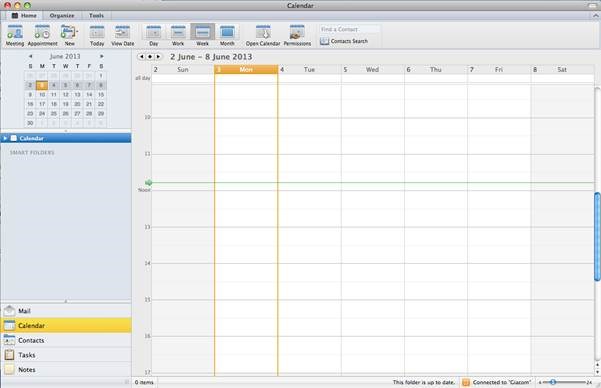
3. On Intel-based Macs, right click on the Calendar and select Sharing Permissions from the contextual menu. On Macs without a right-click mouse, use CTRL + Click

4. This will load the Folder Properties window (see screenshot below). Go to the Permissions tab

5. Under Permissions, select the users you wish to share the Calendar with and also the Permission Level you wish to allocate to them.
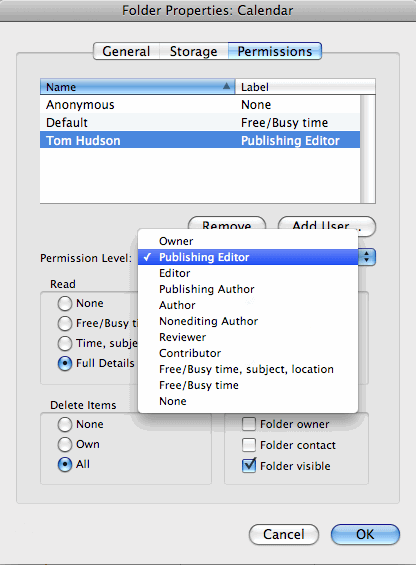
6. Once you have made your selection, click on OK to save the changes.